6 min read
Modern productivity tools promise efficiency.
But most of them create the opposite.
They overwhelm users with complexity.
Users jump between tools for notes, tasks, reminders, automation, and tracking. Instead of simplifying work, software ecosystems fragment attention.
This fragmentation is the real productivity problem of the digital era.
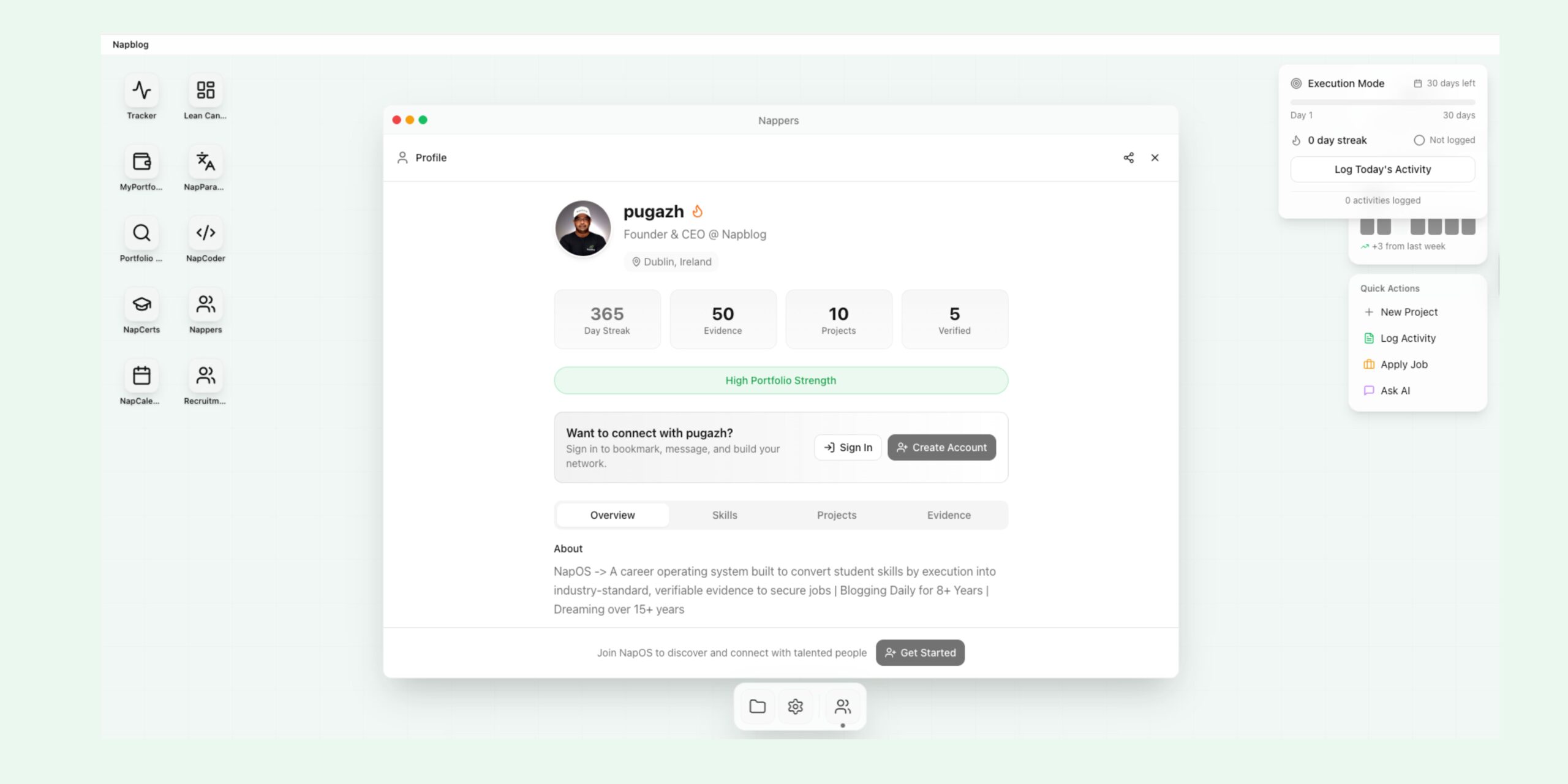
Recognizing this challenge, Napblog Limited developed Nap OS—a structured environment designed to unify activities, workflows, and portfolio intelligence into a single ecosystem.
One of the most powerful components of this system is NapWorkFlows.
NapWorkFlows introduces something rarely seen in productivity platforms:
Intuitive embedded intelligence.
Instead of requiring users to build complicated automations, NapWorkFlows allows them to create structured execution flows that connect everyday actions with measurable outcomes.
What Is NapWorkFlows?
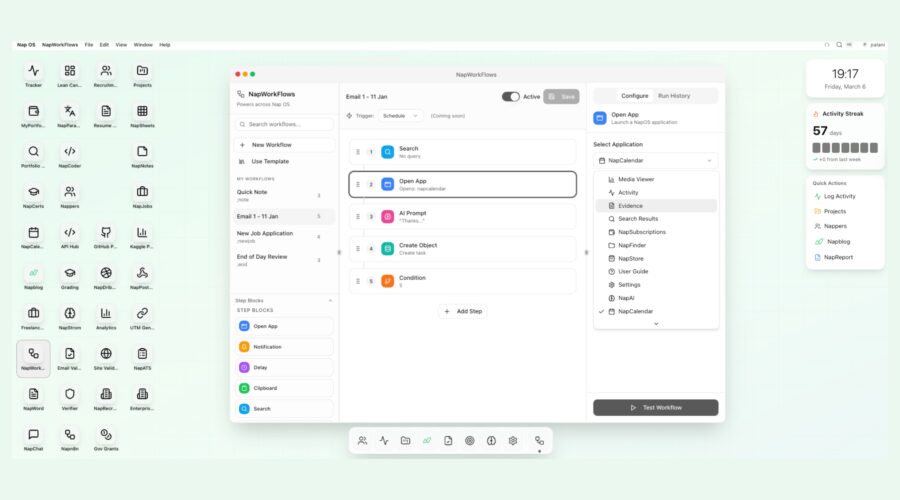
NapWorkFlows is the workflow orchestration engine inside Nap OS.
It allows users to design structured sequences of actions that automate and guide their daily work processes.
Rather than manually repeating tasks, users can build workflows that automatically trigger actions based on events, schedules, or conditions.
A workflow might include steps such as:
Search data
Open applications
Trigger AI prompts
Create objects or tasks
Apply conditions
Generate notifications
Log activity
Each workflow becomes a repeatable execution system.
Instead of remembering what to do next, the workflow does the remembering.
The Philosophy Behind NapWorkFlows
Most workflow tools focus on automation.
NapWorkFlows focuses on execution intelligence.
Automation alone only removes repetitive work.
Execution intelligence organizes how people think, act, and progress.
NapWorkFlows is built on three core principles:
Structured thinking
Embedded intelligence
Portfolio-based execution
This means workflows are not just automation scripts.
They become professional growth architectures.
Intuitive Embedded Intelligence
NapWorkFlows is designed so that even non-technical users can create powerful workflows.
The system provides intuitive step blocks such as:
Open App
Notification
Delay
Clipboard
Search
Condition
Create Object
Users simply connect these blocks to form a structured workflow.
Behind the interface, Nap OS integrates intelligence across its modules, allowing workflows to interact with applications such as:
NapCalendar
Activity Tracker
Evidence logs
Projects
Analytics
This integration creates an embedded intelligence layer.
Users do not need to manually coordinate different tools.
The system handles the orchestration.
Why NapWorkFlows Matters for Power Users
Power users are individuals who push productivity tools beyond basic usage.
They create systems, frameworks, and processes that multiply their effectiveness.
NapWorkFlows empowers power users by enabling them to:
Automate routine tasks
Structure daily execution
Trigger AI-assisted workflows
Create consistent habits
Track professional activity
Build execution evidence
Instead of reacting to work, power users design their work architecture.
NapWorkFlows becomes the backbone of that architecture.
Workflow Thinking vs Task Thinking
Most people operate in task thinking mode.
They create a to-do list.
Complete tasks.
Repeat tomorrow.
But high-performing professionals operate in workflow thinking mode.
They build systems that run automatically.
For example:
Instead of writing daily notes manually, a workflow triggers a note template every evening.
Instead of remembering to review learning materials, a workflow opens study resources at scheduled times.
NapWorkFlows encourages users to shift from task execution to workflow design.
This shift multiplies productivity.
Example Workflow Structure
A simple NapWorkFlow might include:
Trigger: Daily schedule
Step 1: Search today’s tasks
Step 2: Open NapCalendar
Step 3: Trigger AI prompt for planning
Step 4: Create activity log
Step 5: Send completion notification
Once configured, the workflow runs automatically.
The user no longer needs to remember each step.
The system guides execution.
Why Students Benefit Most from NapWorkFlows
Third-year bachelor students are at a critical stage in their professional development.
They must simultaneously manage:
Academic work
Skill development
Internship preparation
Portfolio building
Job applications
Without structured systems, this becomes overwhelming.
NapWorkFlows helps students create structured career preparation workflows.
These workflows guide daily actions that gradually build employability.
10 Real-Life Style Examples: Students Using NapWorkFlows to Land Jobs
Below are examples of how third-year bachelor students from different fields could use NapWorkFlows to structure their path to employment.
1 Marketing Student → Digital Marketing Executive
A marketing student builds a workflow that runs every morning.
The workflow:
Searches trending marketing topics
Opens analytics dashboards
Triggers AI prompts for campaign ideas
Creates a project log
Over months, the student builds a marketing portfolio and lands a digital marketing role.
2 Computer Science Student → Software Developer
A CS student creates a coding workflow.
The workflow:
Opens coding environments
Pulls GitHub tasks
Runs coding challenges
Logs project progress
The system ensures consistent coding practice and portfolio development.
This leads to a developer position.
3 Mechanical Engineering Student → Product Design Engineer
The student builds a workflow that:
Opens CAD software
Loads design projects
Triggers daily design challenges
Logs design iterations
Over time, the student builds a strong product design portfolio.
4 Finance Student → Financial Analyst
A finance student builds a market analysis workflow.
The workflow:
Searches financial news
Opens spreadsheets
Generates analysis notes
Logs insights
This builds analytical thinking and creates a portfolio of financial research.
5 Psychology Student → Behavioral Research Assistant
The workflow:
Searches new psychology papers
Opens research note templates
Creates observation logs
Tracks reading activity
This produces a documented research portfolio.
6 Data Science Student → Data Analyst
The workflow runs daily.
It:
Opens data sets
Triggers analysis prompts
Creates visualization tasks
Logs model performance
The student builds a structured analytics portfolio.
7 Journalism Student → Content Writer
A writing workflow includes:
Search trending news
Open writing editor
Trigger article outline prompts
Log writing progress
After months of structured writing, the student develops a professional portfolio.
8 Economics Student → Policy Research Assistant
The workflow:
Searches economic reports
Opens analysis documents
Creates summary tasks
Logs insights
This builds evidence of research capability.
9 Business Student → Startup Operations Associate
A business student builds a startup simulation workflow.
The workflow:
Searches startup news
Creates business idea notes
Runs market analysis tasks
Logs learning insights
The student builds operational understanding of startups.
10 Design Student → UX Designer
A design workflow includes:
Opening design tools
Loading UI challenges
Triggering AI prompts for ideas
Saving design evidence
The student gradually develops a professional UX portfolio.
Workflows Create Career Momentum
The key difference between successful students and struggling students is consistency.
NapWorkFlows creates systems that reinforce daily consistency.
Small daily actions compound over time.
When students graduate, they already possess:
Skill evidence
Project logs
Execution records
Professional portfolios
This makes them far more employable.
Embedded AI Within Workflows
NapWorkFlows integrates with AI prompts within the system.
Users can trigger AI assistance during workflows.
For example:
Generate ideas
Summarize research
Create outlines
Analyze results
This allows users to combine human thinking with AI assistance.
The workflow orchestrates both.
From Productivity to Professional Intelligence
NapWorkFlows moves beyond productivity.
It builds professional intelligence.
Every workflow contributes to a larger portfolio system.
Users generate structured activity records that demonstrate:
Consistency
Skill growth
Project completion
Learning progress
These records become powerful signals for employers.
The Long-Term Impact of Workflow Thinking
Individuals who master workflow thinking gain several advantages:
They execute faster.
They maintain consistency.
They eliminate decision fatigue.
They create measurable progress.
NapWorkFlows trains users to think like system designers rather than task performers.
Napblog Limited’s Vision
Napblog Limited believes the future of professional development will rely on execution systems rather than motivational advice.
People will not succeed because they work harder.
They will succeed because they build better systems.
NapWorkFlows is designed to help individuals build those systems.
Inside Nap OS, workflows connect learning, projects, activity logs, and portfolio intelligence into a unified professional architecture.
Conclusion
The modern professional world rewards individuals who can execute consistently and demonstrate real progress.
NapWorkFlows provides the infrastructure for that execution.
By embedding intuitive intelligence into workflow design, Nap OS allows users to move beyond scattered productivity tools and build structured execution systems.
For students, professionals, and power users alike, workflows become the engine that drives skill development, portfolio growth, and career success.
When daily actions are structured intelligently, progress becomes inevitable.
NapWorkFlows ensures that users do not simply manage tasks.
They design the systems that shape their future.