Last updated: February 17, 2026
4 min read
NapOS was never designed to be “just another productivity tool.”
From day one, NapOS was built as an Execution Operating System—a digital environment where learning, work, projects, portfolios, applications, and outcomes live together in one coherent system.
But an operating system is only as powerful as the applications it runs.
That is why NapStore exists.
NapStore is not an app marketplace in the traditional sense.
It is the core distribution layer of NapOS, where every application is purpose-built to convert activity into evidence, effort into outcomes, and work into proof.
This newsletter explains:
- What NapStore is
- Why it is fundamentally different from app stores you already know
- How it benefits students, job seekers, freelancers, and professionals
- And a complete overview of 40+ NapOS applications available now and coming soon
What Is NapStore?
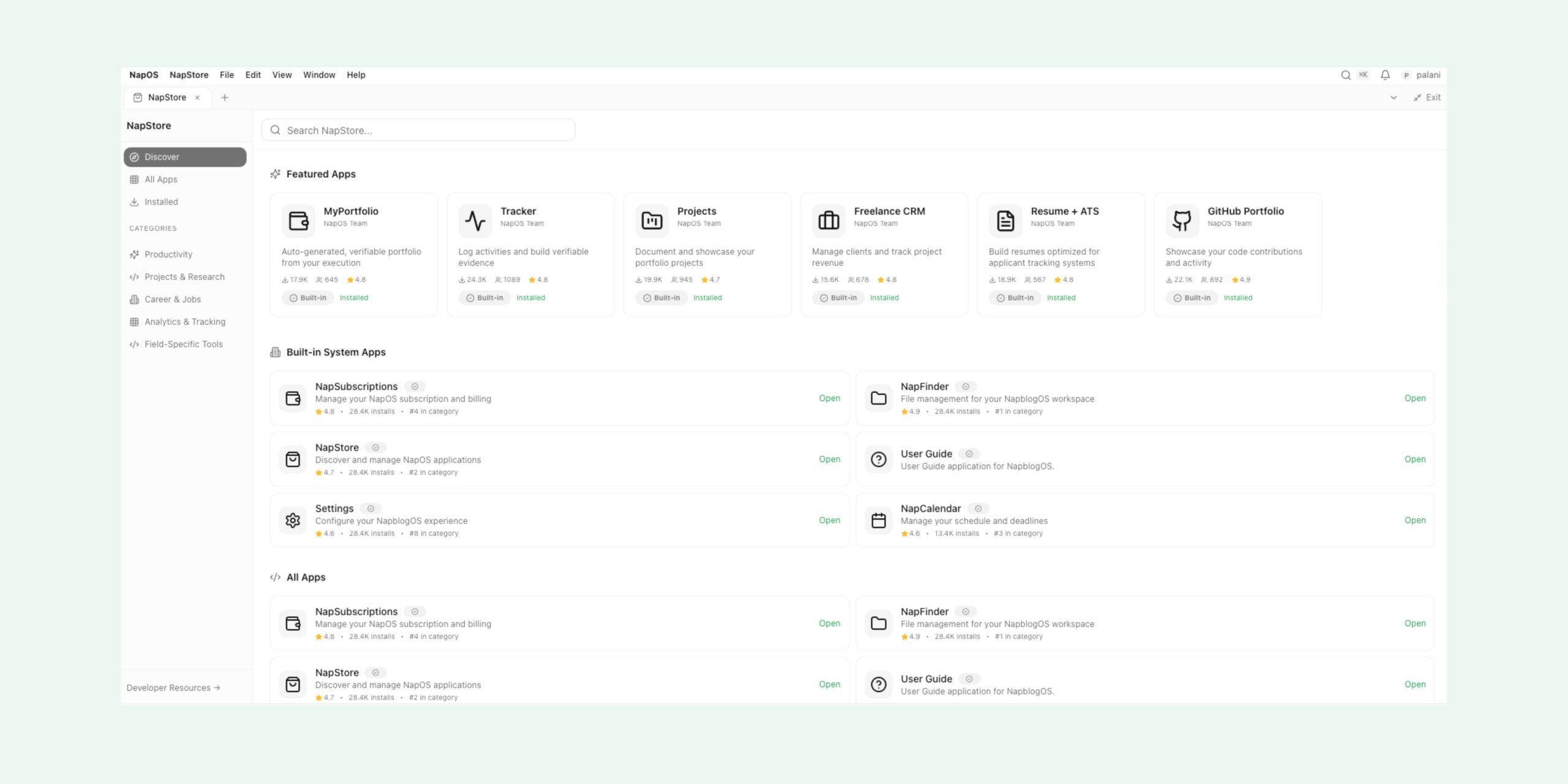
NapStore is the native application store inside NapOS.
It is where users:
- Discover new capabilities
- Install and manage applications
- Extend their workspace based on goals (study, job search, freelancing, startups)
- Unlock advanced workflows without leaving the OS
Unlike external SaaS tools, NapStore apps are OS-aware:
- They share the same identity layer
- They speak to each other
- They generate structured, verifiable data across NapOS
In simple terms:
NapStore is how NapOS grows with you.
Why NapStore Is Not a “Normal App Store”
Traditional app stores focus on downloads and features.
NapStore focuses on execution and outcomes.
Key Differences
| Traditional App Store | NapStore |
|---|---|
| Isolated tools | OS-native apps |
| No shared context | Shared execution graph |
| Feature-based | Outcome-based |
| Users manage tools | OS manages workflows |
| No proof of work | Built-in verification |
Every NapStore app is designed to answer one critical question:
“How does this activity become proof?”
That principle applies whether the user is:
- A student building a portfolio
- A job seeker preparing for ATS screening
- A freelancer managing clients
- A professional documenting real-world execution
How NapStore Helps Different Users
For Students
- Turn assignments into verified portfolio assets
- Track learning, projects, and progress in one place
- Graduate with proof, not just certificates
For Job Seekers
- Convert daily effort into interview-ready evidence
- Build ATS-optimized resumes connected to real work
- Track applications, interviews, and outcomes
For Freelancers
- Manage clients, projects, invoices, and revenue
- Showcase real client work transparently
- Build trust with proof-based portfolios
For Professionals & Builders
- Document execution history
- Manage workflows, APIs, automations, and tools
- Create a long-term professional knowledge graph
Core Categories Inside NapStore
NapStore applications are organized into strategic categories:
- Productivity
- Projects & Research
- Career & Jobs
- Analytics & Tracking
- Field-Specific Tools
- System & Infrastructure Apps
This ensures users can expand NapOS intentionally, not randomly.
Featured Built-In Applications (Foundation Layer)
These apps form the core operating layer of NapOS.
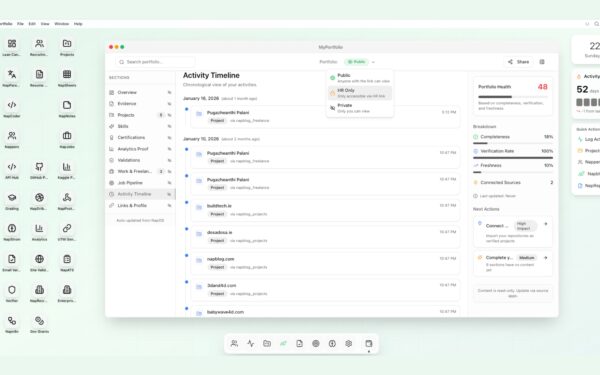
- MyPortfolio
Auto-generates a verifiable portfolio from real execution across NapOS. - Tracker
Logs activities, habits, and execution signals to build evidence trails. - Projects
Documents and showcases structured project work with outcomes. - Freelance CRM
Manages clients, deliverables, timelines, and revenue streams. - Resume + ATS
Builds ATS-optimized resumes directly connected to execution data. - GitHub Portfolio
Syncs code contributions and development activity into NapOS.
System Applications (Always Available)
These apps power the OS itself.
- NapStore
Discover, install, and manage NapOS applications. - NapFinder
File and asset management for the NapOS workspace. - NapSubscriptions
Manage plans, billing, trials, and account lifecycle. - Settings
Configure OS behavior, permissions, integrations, and preferences. - NapCalendar
Manage schedules, deadlines, milestones, and reminders. - User Guide
Native documentation and onboarding inside NapOS.
Productivity & Execution Apps
- NapNotes
Structured notes that can be linked to projects, tasks, and portfolios. - NapTasks
Task management with execution tracking and completion proof. - NapWorkflow
Build and automate workflows across NapOS applications. - NapSpotlight
Command-bar intelligence to search, trigger, summarize, and execute. - NapTimeTracker
Track focused work sessions and productivity signals. - NapGoals
Goal-setting tied directly to measurable execution.
Learning & Research Apps
- NapResearch
Organize research, sources, and insights with citation tracking. - NapAssignments
Turn academic assignments into portfolio-ready artifacts. - NapReadingList
Track learning resources and reading progress. - NapKnowledgeBase
Personal knowledge system built over time.
Career & Job Search Apps
- NapJobTracker
Track applications, interviews, offers, and outcomes. - NapCoverLetter
Generate contextual cover letters based on real experience. - NapInterviewPrep
Prepare interview narratives using execution history. - NapATSAnalyzer
Analyze resumes against ATS requirements. - NapCareerPath
Map skills, gaps, and next steps for career growth.
Freelancing & Business Apps
- NapInvoices
Generate and track invoices. - NapContracts
Store and manage client agreements. - NapRevenueTracker
Monitor income streams and financial performance. - NapClientPortal
Share progress and deliverables with clients. - NapProposals
Create data-backed proposals using past work.
Developer & Automation Apps
- NapPostman
API testing and literacy with portfolio-ready outputs. - Napn8n
Workflow automation integrated with NapOS execution data. - NapWebhooks
Trigger NapOS actions from external services. - NapAPIGateway
Universal API access layer for NapOS. - NapGitSync
Advanced repository and contribution tracking.
Analytics & Insight Apps
- NapAnalytics
Visualize productivity, execution, and outcomes. - NapProofScore
Quantifies credibility based on real work. - NapActivityLog
Immutable timeline of user execution. - NapInsights
AI-driven summaries of progress and patterns.
Community & Identity Apps
- Nappers
A professional directory of NapOS users with portfolios. - NapProfile
Unified identity across all NapOS applications. - NapShowcase
Public-facing portfolio publishing layer.
Why This Matters Long-Term
NapStore is not about having “many apps.”
It is about creating a closed-loop execution system:
- Learn → Execute → Track → Verify → Showcase → Improve
Every app strengthens the OS.
Every action leaves evidence.
Every user builds a living professional record.
This is how NapOS shifts users from:
- Credentials → Proof
- Effort → Outcomes
- Tools → Systems
Final Thought
NapStore is the heart of NapOS.
It ensures that no effort is wasted, no work is invisible, and no progress is lost.
As NapOS grows, NapStore will continue to expand—with deeper integrations, smarter automation, and more field-specific tools—while staying true to one principle:
If it doesn’t create proof, it doesn’t belong in NapOS.
Welcome to NapStore.
Welcome to execution—done properly.
Each application in NapStore extends NapOS into a living career system. Discover NapStore updates on LinkedIn.