Last updated: May 29, 2026
5 min read
Every student today applies to jobs across platforms that were never designed to work together.
LinkedIn. Indeed. Company career pages. WhatsApp referrals. Email follow-ups. Screenshots. Notes apps. Memory.
What begins with motivation slowly turns into fragmentation.
Most students do not fail because they lack talent.
They fail because their job search has no operating system.
NapblogOS was built to change that.
This article explains—clearly and practically—how the NapblogOS Copy-Paste Job Tracking feature works, why it is fundamentally different from bookmarks, spreadsheets, or “job boards,” and how it introduces real accountability and interview-readiness triggers, not just another dashboard.
The Core Problem: Job Applications Are Invisible Work
Students apply to dozens—sometimes hundreds—of roles.
Yet when asked simple questions:
- Where did you apply?
- Which roles are active?
- Who is reviewing your profile?
- What should you prepare next?
The honest answer is often silence.
Not because students are careless, but because applications disappear the moment they are submitted.
LinkedIn saves jobs.
Indeed emails confirmations.
Gmail buries follow-ups.
Notes apps store fragments.
Nothing connects.
NapblogOS treats job applications as active projects, not passive submissions.
The NapblogOS Principle: If It’s Not Trackable, It’s Not Real
NapblogOS does not scrape data, violate platform terms, or require integrations with “big tech.”
Instead, it uses the most universal action available to every student:
Copy → Paste
This is intentional.
Because copy-paste forces awareness, ownership, and clarity.
How Students Copy-Paste Jobs into NapblogOS (Step-by-Step)
Step 1: Open Any Job Post
- LinkedIn job
- Indeed listing
- Company website
- Referral link
No restrictions.
Step 2: Select All (Ctrl + A) → Copy (Ctrl + C)
Students copy the entire visible job content:
- Job title
- Company
- Location
- Responsibilities
- Requirements
- Hiring signals (e.g., “actively reviewing applicants”)
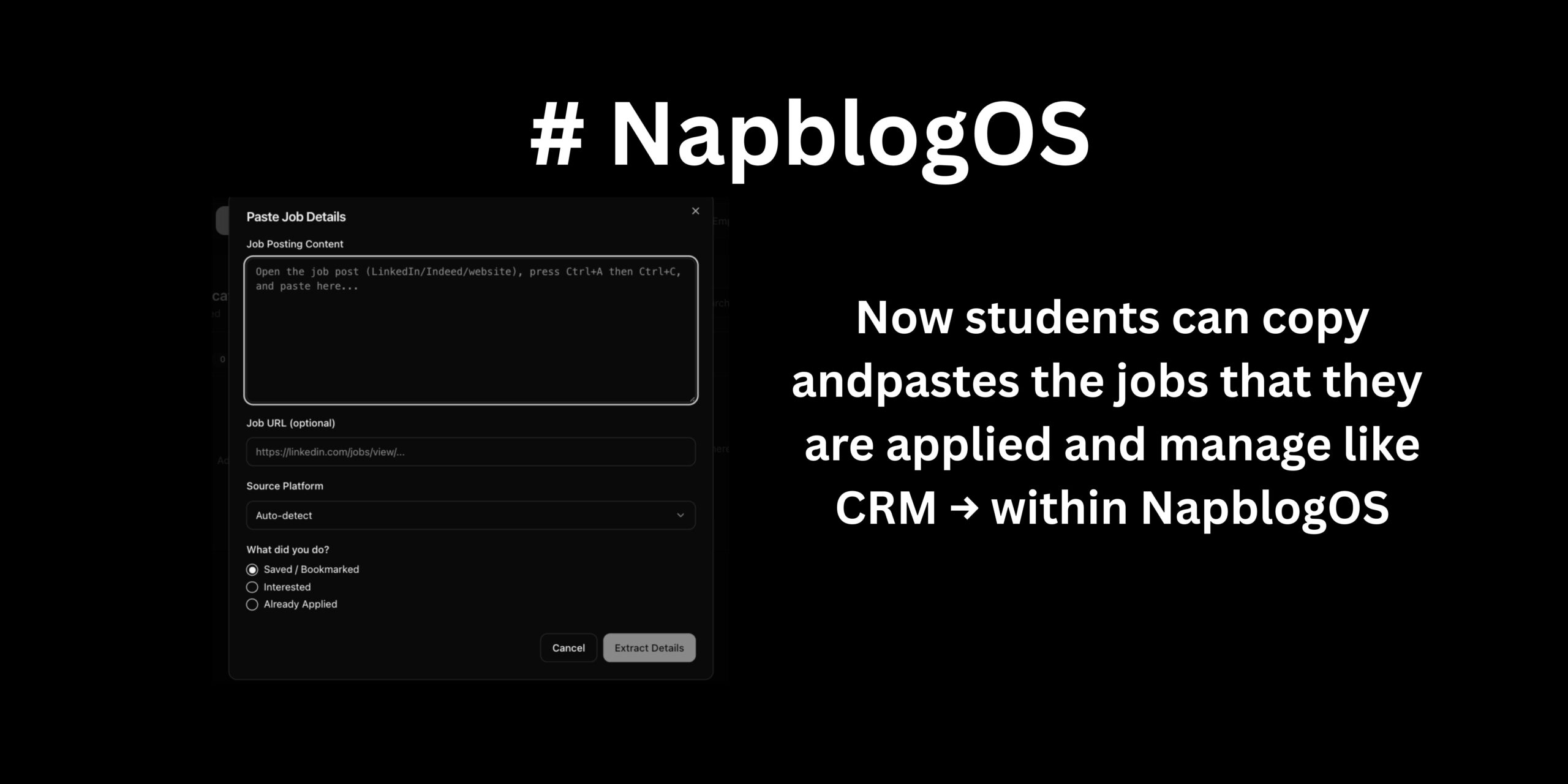
Step 3: Paste into NapblogOS “Add Job Update”
Inside NapblogOS, students see a simple modal:
- Paste Job Details
- Optional Job URL
- Source Platform (auto-detected)
- Status selection:
- Saved / Interested
- Applied
- Interview Selected
They click Extract Details.
NapblogOS parses the unstructured text into structured, trackable data.
No browser extensions.
No scraping.
No permissions.
Just ownership.
What NapblogOS Automatically Creates After Paste
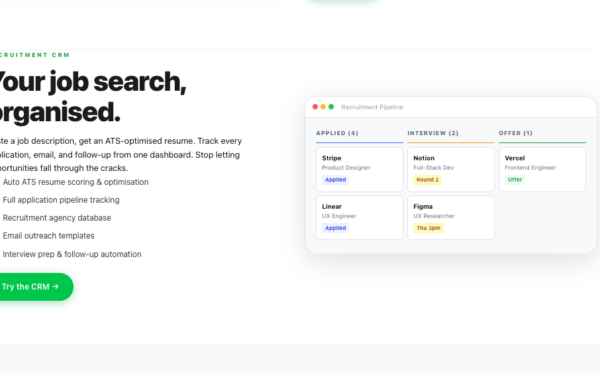
Once pasted, NapblogOS generates a Job Application Record, similar to a CRM deal card, including:
- Role Title
- Company Name
- Location & Work Mode
- Skills Mentioned
- Application Status
- Application Date
- Platform Source
- Confidence Gap Indicator (based on skills match)
- Preparation Readiness Score
This is where NapblogOS diverges from every other tool.
Because the system does not stop at storage.
It starts accountability.
Applied Is Not the End. It Is the Start.
Most platforms celebrate the act of applying.
NapblogOS questions it.
The moment a job is marked Applied, NapblogOS activates a preparation lifecycle.
Because interviews do not reward applicants.
They reward prepared candidates.
NapblogOS Interview-Readiness Triggers (This Is the Difference)
When a job is marked as Applied, NapblogOS automatically triggers:
1. Skill Gap Awareness
NapblogOS compares:
- Job requirements
- Student’s existing Napblog profile (content, projects, analytics, skills)
It highlights:
- Skills mentioned but not yet demonstrated
- Topics the student has never written or worked on
- Gaps that are interview-critical
Not to shame—
but to direct focus.
2. Micro-Preparation Tasks (No Overwhelm)
Instead of generic advice like “prepare well”, NapblogOS creates contextual preparation prompts, such as:
- Write one Napblog post explaining how you would approach X responsibility
- Document a past project that aligns with Y requirement
- Review analytics or metrics relevant to this role
- Prepare one real example for Z skill
Each task is small.
Each task is relevant.
Each task compounds.
3. Time-Based Reality Triggers
NapblogOS tracks time since application.
If:
- 3 days pass → light preparation reminder
- 7 days pass → deeper role-specific preparation
- Interview status is updated → interview-focused workflow activates
This is not a reminder app.
It is behavioral nudging aligned with hiring timelines.
When a Student Gets Interview-Selected
The moment a job is moved to Interview Selected, NapblogOS changes mode.
It stops tracking applications.
It starts tracking performance readiness.
Interview Mode Activates:
- Company deep-dive checklist
- Role-specific talking points
- Personal story mapping (projects → job requirements)
- Weak-area reinforcement based on previous gaps
- Reflection prompts after each interview round
Everything is contextual to that specific job, not generic interview advice.
Why This Is Not “Just Another Job Tracker”
Let’s be clear.
NapblogOS is not:
- A spreadsheet replacement
- A bookmark manager
- A job board
- A resume tool
It is a student operating system that treats job search as a disciplined process.
Most tools answer:
“Where did you apply?”
NapblogOS answers:
“Are you becoming interview-ready because you applied?”
Accountability Without Guilt
Traditional productivity tools rely on:
- Streaks
- Notifications
- Guilt-based reminders
NapblogOS uses:
- Context
- Timing
- Relevance
Students are not punished for inactivity.
They are guided back to meaningful action.
That distinction matters.
Why This Matters for Students Globally
In a market where:
- One role receives hundreds of applications
- Degrees no longer guarantee differentiation
- Interviews test clarity, not certificates
The edge belongs to students who:
- Track deliberately
- Prepare continuously
- Convert applications into learning loops
NapblogOS turns every application into:
- A reflection point
- A skill-building opportunity
- A confidence-building system
Even rejections create progress.
The Hidden Benefit: Proof of Work
Over time, NapblogOS builds something most students never have:
A living record of effort.
Not claims.
Not promises.
Evidence.
When students say:
“I prepared for this role.”
NapblogOS can show:
- What they studied
- What they wrote
- What they improved
- What changed since the last interview
This changes how students see themselves.
And how employers experience them.
Final Thought: Systems Beat Motivation
Motivation is fragile.
Systems are durable.
NapblogOS does not ask students to be more disciplined.
It builds discipline into the workflow—quietly, consistently, without noise.
Copy. Paste. Track. Prepare. Improve.
That is how applications turn into interviews.
And interviews turn into outcomes.
NapblogOS is not helping students apply for more jobs.
It is helping them become ready when opportunity responds.
Preparing for your next interview starts with organized job tracking. Connect with Napblog on LinkedIn.