Last updated: May 29, 2026
6 min read
Automation is sold as a growth multiplier.
APIs are marketed as reliable digital plumbing.
Together, they are supposed to save time, reduce cost, and unlock scale.
But in reality, failed automations and fragile API integrations are silently draining revenue from businesses every single day — often without anyone noticing until the damage is already done.
Leads disappear.
Bookings fail.
Payments stall.
Customers leave without complaining.
This article is about an uncomfortable truth most vendors avoid discussing: a broken automation is often more dangerous than a manual process.
We will explore:
- Why failed automations cause more revenue loss than unautomated workflows
- The real-world reasons API-driven systems break
- How businesses can detect and prevent silent failures
- And the concrete measures AIEOS uses to design automation that fails safely, visibly, and recoverably
This is written in plain language, based on real operational patterns — not theoretical architecture diagrams.
The Hidden Cost of “It Should Be Working”
Most automation failures are not dramatic.
There is no system crash.
No alert.
No error message.
The automation simply stops doing what it is supposed to do.
A lead form submits, but the CRM never receives it.
A booking is confirmed, but the calendar is not updated.
A payment succeeds, but the invoice is never generated.
From the business owner’s perspective, everything looks normal — until weeks later when revenue reports do not match expectations.
This is the most dangerous category of failure: silent breakage.
Why Broken Automations Lose More Revenue Than Manual Workflows
At first glance, this sounds counterintuitive. Manual processes are slower and error-prone, so how can automation be worse?
Here is the key difference:
Humans notice when something feels wrong. Automations do not.
Manual systems fail loudly
- A staff member notices a missing booking
- A customer calls asking why they never got a confirmation
- Someone manually checks yesterday’s leads
There is friction, but there is awareness.
Automated systems fail quietly
- No human is watching every execution
- Failures happen between systems, not on screens
- Assumptions replace verification
The result: errors compound instead of being corrected.
One lost lead per day becomes 30 per month.
One broken webhook becomes hundreds of unprocessed records.
One API timeout during peak hours becomes a systemic revenue leak.
The Illusion of “Set and Forget” Automation
One of the most damaging myths in automation is the idea that workflows can be built once and left alone.
APIs are not static.
Platforms change.
Permissions expire.
Rate limits shift.
Fields get renamed.
Authentication methods evolve.
Automation does not break because businesses do something wrong.
It breaks because external systems change without warning.
And most automation setups assume stability that does not exist.
Common Reasons Automation APIs Break in the Real World
Let’s move beyond theory and look at what actually causes failures.
1. API Changes Without Backward Compatibility
A third-party service updates its API.
Endpoints change.
Fields are deprecated.
Responses are modified.
The automation still “runs” — but the data is incomplete or malformed.
2. Authentication Expiry
Tokens expire.
Refresh flows fail.
Scopes change.
The workflow executes, but the API quietly rejects the request.
3. Rate Limiting Under Load
Everything works during testing.
Then marketing launches a campaign.
Suddenly the API starts returning rate-limit errors.
No retries. No fallbacks. Just dropped executions.
4. Partial Failures in Multi-Step Workflows
Step 1 succeeds.
Step 2 fails.
Step 3 never runs.
The system is left in an inconsistent state — half-complete, half-lost.
5. Dependency Chains
Modern automations depend on:
- Forms
- CRMs
- Calendars
- Payment gateways
- Email systems
- Analytics platforms
If one link breaks, everything downstream is affected.
The Revenue Impact Most Businesses Never Calculate
Automation failures are rarely logged as “lost revenue.”
They appear as:
- Lower conversion rates
- Poor campaign performance
- Reduced repeat bookings
- Declining customer trust
Marketing teams blame ads.
Sales teams blame lead quality.
Founders blame the market.
In reality, the system itself is leaking value.
This is why broken automation is so dangerous:
the loss is misattributed.
Why More Tools Often Make the Problem Worse
Many businesses respond to issues by adding more platforms:
- Another integration tool
- Another monitoring dashboard
- Another CRM plugin
But complexity increases failure surface area.
Each additional tool introduces:
- Another API
- Another authentication flow
- Another update cycle
- Another point of silent failure
Automation should reduce cognitive load — not increase it.
The Wrong Way to “Fix” Automation Problems
Here are approaches that look reasonable but usually fail:
- Rebuilding workflows repeatedly without fixing root causes
- Switching vendors without changing architecture
- Adding manual checks after the fact
- Relying on vendor uptime claims instead of operational visibility
These tactics treat symptoms, not structure.
What Reliable Automation Actually Requires
To avoid revenue-destroying failures, automation must be designed with operational realism, not demo scenarios.
That means accepting three truths:
- APIs will fail
- External platforms will change
- Humans will not constantly supervise
The system must be resilient by design.
How AIEOS Approaches Automation Differently
AIEOS was built specifically to address the gap between “automation that works in theory” and “automation that survives real business conditions.”
Here are the core principles used.
1. Failure Is Expected, Not Exceptional
Most systems treat failures as rare events.
AIEOS assumes:
- APIs will timeout
- Responses will be incomplete
- External services will be temporarily unavailable
Workflows are built to detect, classify, and respond to failure — not ignore it.
2. Observable Automations, Not Black Boxes
If a workflow fails and no one knows, it is worse than useless.
AIEOS ensures:
- Every execution is traceable
- Every failure is logged with context
- Business owners can see what failed and why in plain language
No developer tools required.
3. Revenue-Critical Paths Are Protected First
Not all automations are equal.
AIEOS prioritizes:
- Lead capture
- Booking confirmation
- Payment processing
- Customer follow-up
These workflows include:
- Redundancy
- Retry logic
- Fallback paths
If one API fails, another path ensures the business does not lose the customer.
4. Graceful Degradation Instead of Total Failure
When something breaks, the system should degrade safely.
Examples:
- Store leads locally if CRM is unavailable
- Queue bookings until calendar access is restored
- Send provisional confirmations when real-time sync fails
The customer experience continues, even if backend systems struggle.
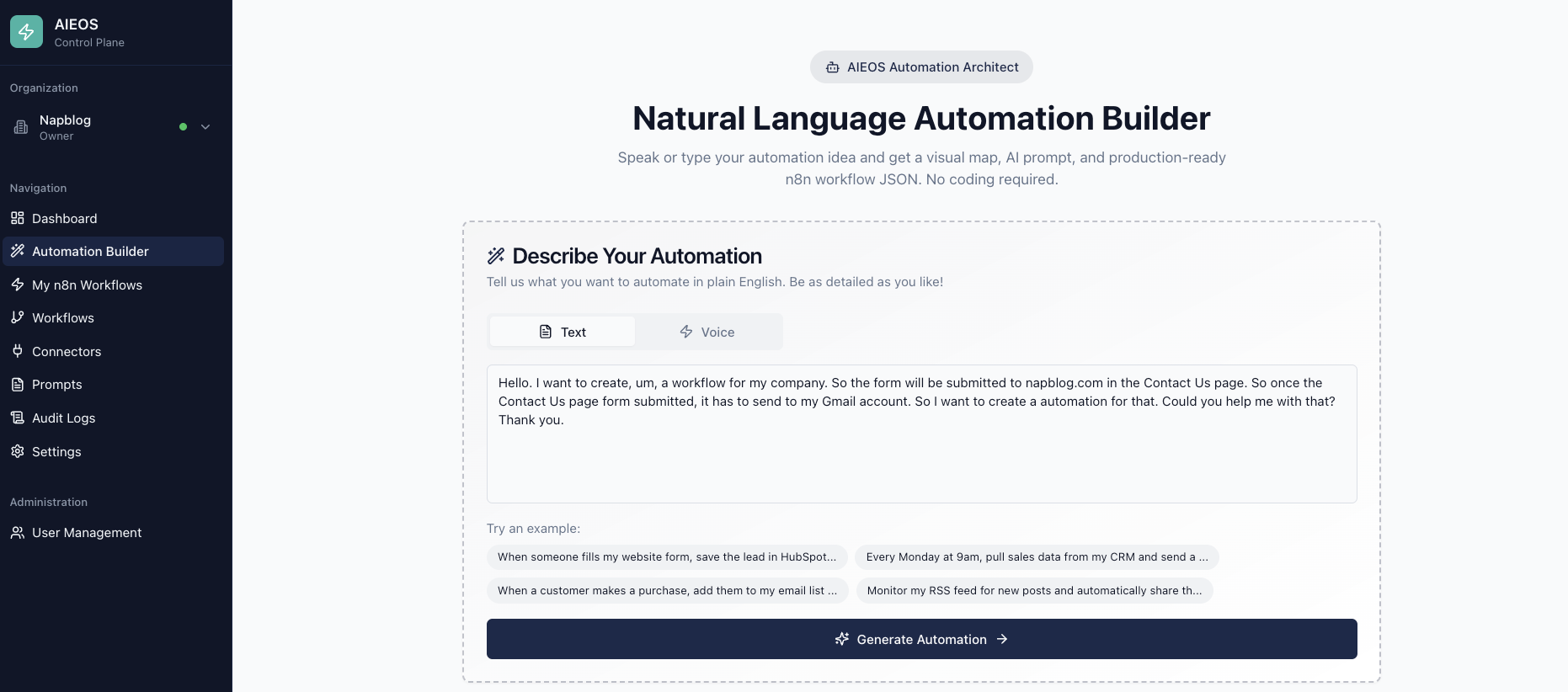
5. Natural Language Control, Not Fragile Logic
Traditional automations are brittle because they are rigid.
AIEOS uses natural language logic to:
- Adapt workflows
- Interpret incomplete data
- Make contextual decisions
This reduces dependence on exact field names and static schemas.
6. Continuous Validation, Not One-Time Testing
Testing once is not enough.
AIEOS continuously:
- Validates API responses
- Monitors execution patterns
- Detects anomalies before revenue is impacted
This shifts automation from reactive to preventative.
7. Business-First Metrics, Not Technical Vanity Metrics
Uptime percentages do not pay salaries.
AIEOS measures:
- Leads captured vs leads lost
- Bookings completed vs booking attempts
- Revenue events processed vs dropped
Automation success is tied directly to business outcomes.
The Role of Humans in Reliable Automation
AIEOS does not aim to eliminate human oversight.
Instead, it ensures:
- Humans intervene only when needed
- Issues are surfaced clearly
- Decisions are supported with context
Automation should reduce noise, not hide risk.
What Businesses Should Ask Before Trusting Automation
Before deploying any API-driven workflow, ask:
- What happens if this API fails silently?
- How will I know within minutes, not weeks?
- Can revenue still be captured if one system goes down?
- Is failure visible to non-technical stakeholders?
If these questions cannot be answered clearly, the automation is not ready.
Automation Is an Operational System, Not a Feature
The biggest mistake businesses make is treating automation like software features instead of infrastructure.
Infrastructure must be:
- Resilient
- Observable
- Maintainable
- Designed for change
AIEOS is built with this mindset.
Final Thought: Automation Should Protect Revenue, Not Gamble With It
Automation is powerful.
APIs are essential.
But unreliable automation is a liability disguised as efficiency.
If your workflows break silently, they are not saving money — they are quietly eroding it.
The goal is not more automation.
The goal is automation that can be trusted when it matters most.
That is the standard AIEOS is designed to meet.
And that is the difference between automation that looks impressive — and automation that actually grows a business.
Protecting revenue from silent automation failures requires proactive monitoring and testing. Follow Napblog on LinkedIn.